Stop guessing where your basket is cheapest.
Scan a barcode or snap your receipt, build your basket, and Zavvy shows what it would cost at the major supermarkets across Ireland — and what you've saved.
Why Zavvy, why now?
Grocery bills have climbed hard these past few years, and a weekly shop can cost noticeably more or less depending only on where you buy it. Every euro stretches less than it used to — so paying over the odds for the same items stings more than ever.
Prices never sit still
The same basket costs different amounts at different shops, and those prices move week to week. Whatever was cheapest last month might not be this month — and there's no way to eyeball that.
Shopping around is a chore
Comparing by hand means juggling apps, leaflets and memory, or driving shop to shop. Most of us don't have the time, so we stick to one store and quietly overpay — week after week.
Zavvy does the legwork
Scan a barcode or snap a receipt and Zavvy compares your actual basket across the major Irish supermarkets in seconds — from prices real shoppers share. No trekking, no guesswork: just where your shop is genuinely cheapest.
From a barcode — or a receipt — to the cheapest basket.
-
1
Scan
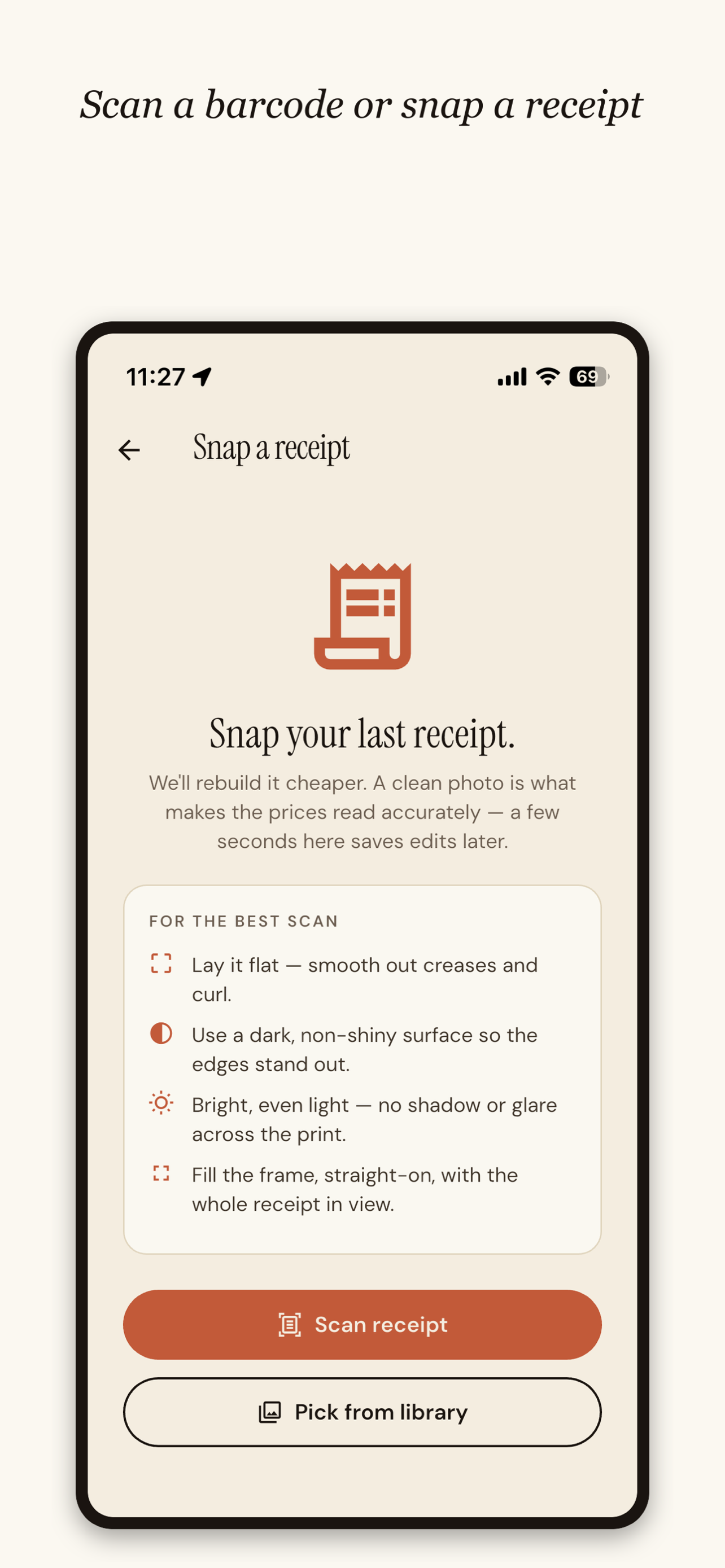
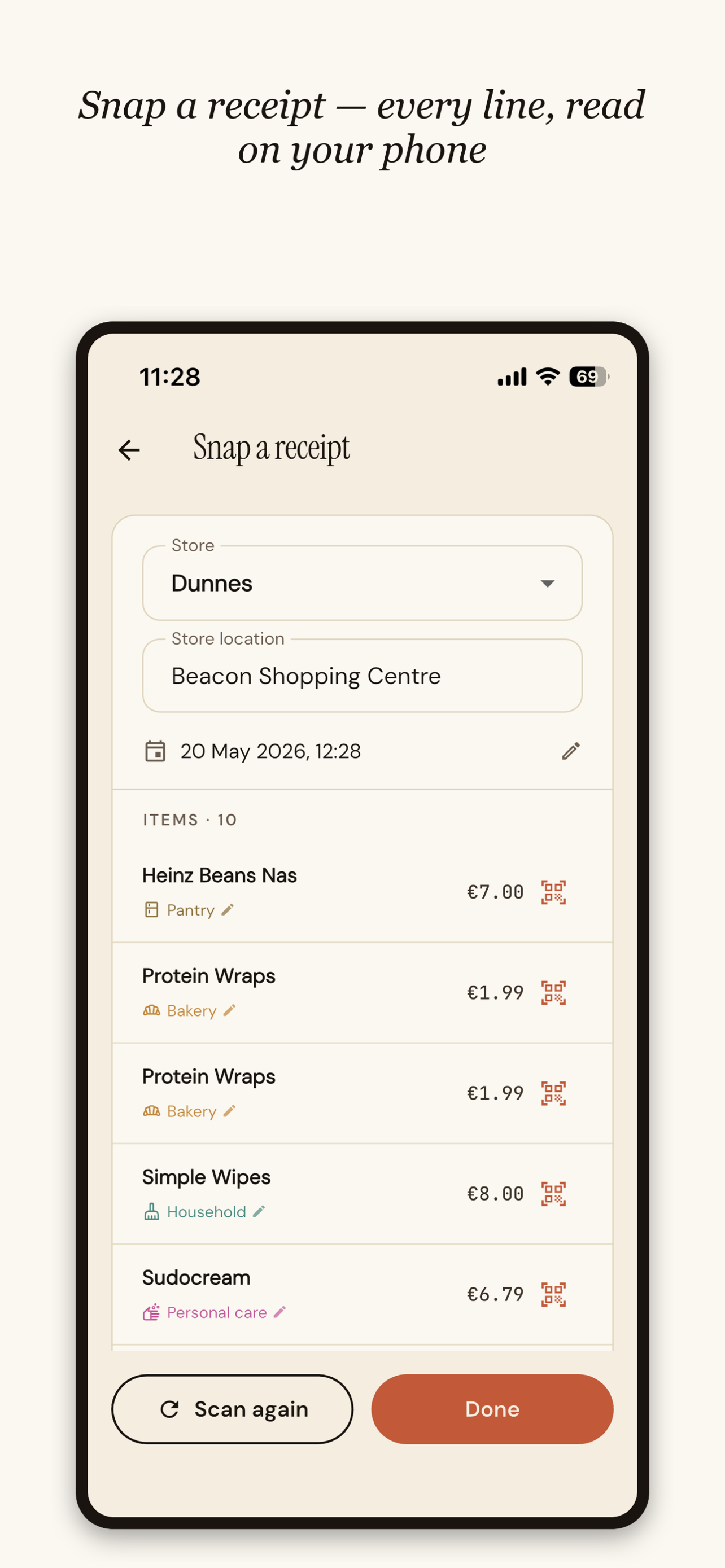
Scan a product barcode, snap a shopping receipt, or photograph a shelf-edge price label. Zavvy reads it on your device and pulls out the items and prices.
-
2
Build your basket
Keep the basket you'd actually buy. Adjust quantities, fix a line, or remove items.
-
3
Compare & save
See the running total at every Irish supermarket you could shop at — and a tally of what you've saved.
Never lose a money-off coupon again.
Those vouchers printed at the bottom of your receipt? Zavvy saves them to your phone and shows the barcode right at the till — so the coupon's in your pocket, not crumpled in a drawer past its date.
Snap & save
Point Zavvy at a coupon — or it's picked up automatically when you snap a receipt. It reads the value, the spend it needs and the dates it's valid.
Scan at the till
Open your wallet and Zavvy shows the coupon's barcode full-screen, ready for the checkout scanner — the printed voucher reproduced exactly.
Give one away, grab one you need
Won't use a coupon before it expires? Pop it in the shared pool for someone else. Need one for your shop? Claim one a neighbour has given away — fair give-and-take, so it stays a community.
See it in your hand.
Wherever you shop in Ireland.
- Tesco
- Dunnes Stores
- SuperValu
- Aldi
- Lidl
- M&S
- SPAR
- Centra
- Mace
Own-brand items only show prices where they're stocked — we never silently drop a store, so the totals are always honest.
Shopping in the UK? Zavvy compares the big UK chains too — Tesco, Sainsbury's, Asda, Morrisons, Aldi, Lidl, M&S and more.
Common questions.
- Is Zavvy free?
- Yes — Zavvy is free to use.
- Where do the prices come from?
- From real shopping. Zavvy builds its price picture from the receipts and scans people share across Irish supermarkets — so the more the community scans, the sharper your comparison.
- What happens to my receipts?
- Receipts are read on your device. When you save a receipt to your history, its image and the parsed details are sent to your account — so you can see it later and so we can improve scanning. A scan you don't save stays on your phone unless you tap “Report a problem”. Either way, any card details printed on a receipt are stripped automatically before anything is sent.
- What about own-brand items?
- Own-brand items usually have store-specific barcodes, so the same product won't always exist at another shop to compare against. You can still track its price history at the store that sells it — so you'll know when it goes up or drops, even when there's no like-for-like rival to line it up beside.
- Does Zavvy work offline?
- Yes. Scan a receipt or record a price with no signal and Zavvy saves it on your phone, then syncs it automatically the next time you're online — so a basement aisle or a dead spot at the till never loses your scan.
- Can I get my data out?
- Yes. Export your receipts to a CSV from the receipts list, and export or delete your account and data from Settings at any time — no email required.
- A product's name or size looks wrong — can I fix it?
- You can suggest a correction (name, brand or pack size) right from the product screen. Once another shopper confirms the same details, the shared product entry updates for everyone — the catalogue is built and kept honest by the community.
Bronze & Silver — free, earned by scanning.
Every shopper starts as Bronze. Scan your shops and tag the items as you go, and you'll climb to Silver — both free. (Gold, a paid tier, is on the way.)
Bronze — where you start
- Compare your basket across UK & Irish supermarkets
- Scan barcodes to check and record prices
- Help identify products — add a missing name, brand or size
- Save & share money-off coupons to scan at the till
- Track your trips, prices compared and receipts
- Your last 2 weeks of receipt history
Silver — for active members
- Price-drop alerts on items you've scanned — now live
- Your full receipt history (Bronze sees 2 weeks) — now live
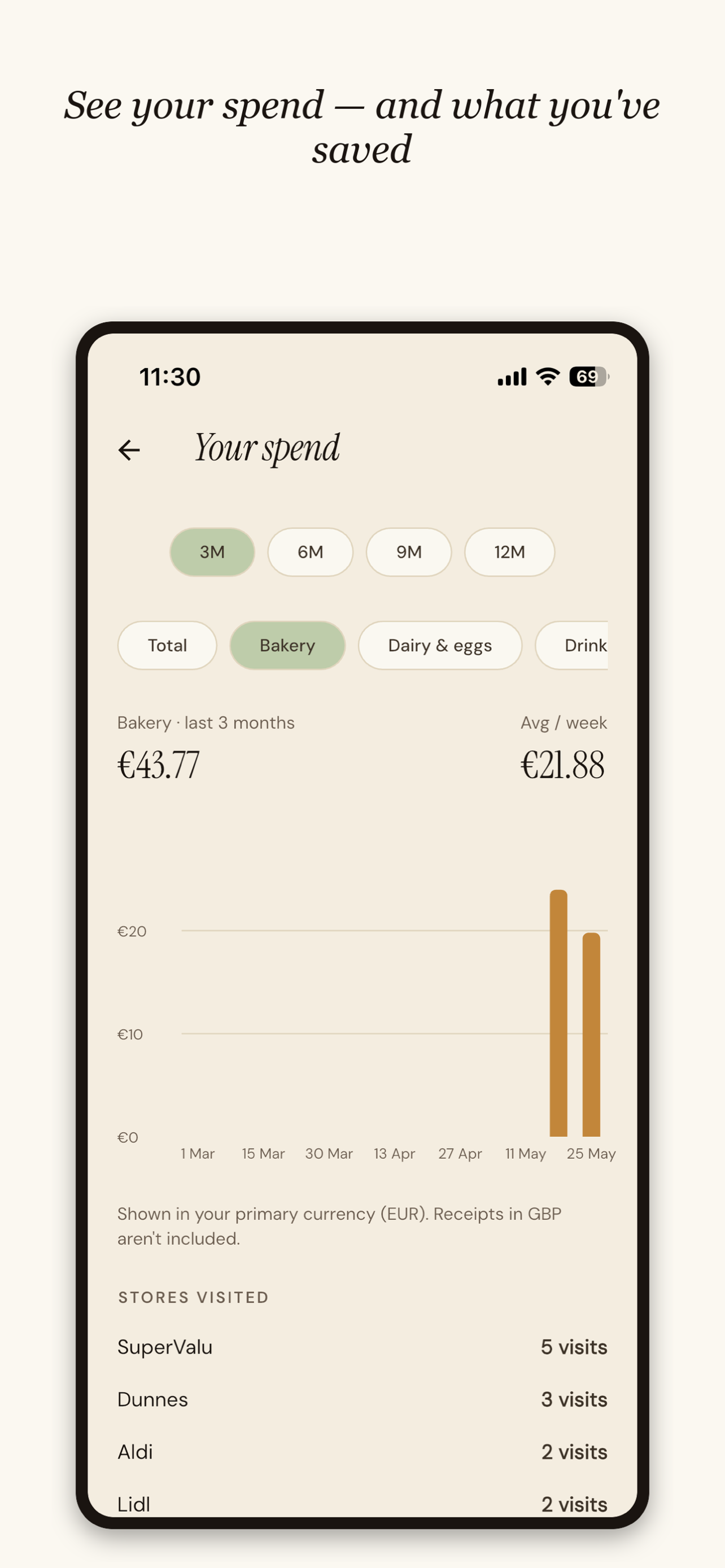
- Your spend tracked over time — now live
- The cheapest shop for your basket (coming soon)
- Early access to new features (coming soon)
Reaching & keeping Silver
Reach Silver by scanning 4 receipts and tagging 10 barcodes from their line items within two weeks. Helping identify products counts too — when you add or correct an item's name, brand or size and another shopper confirms it, it counts toward those 10 (up to 5 of them), so filling in the catalogue is rewarded. Silver reflects your last two weeks of activity, so keep scanning to keep it — let it lapse and you'll slip back to Bronze until you're active again.
Join the beta.
Zavvy is in beta on iOS and Android — no sign-up needed. Tap your platform to install it and start comparing your shop.
iPhone installs the free TestFlight app first; on Android, tap “Become a tester” then Install. Questions? feedback@zavvyapp.com