How Zavvy works.
From a barcode or a receipt to your basket's total at every Irish supermarket — in five steps, with the scanning running right on your phone.
-
1
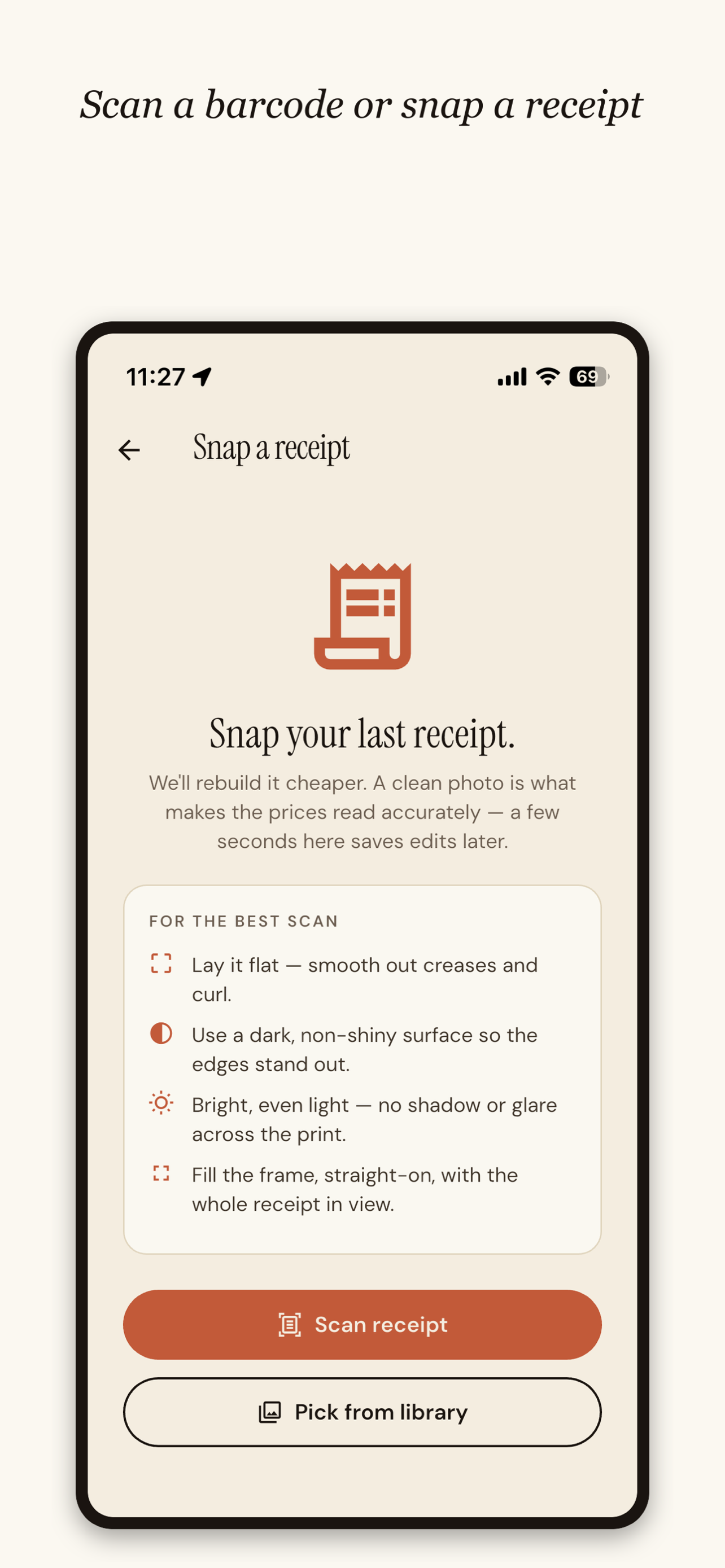
Snap a receipt
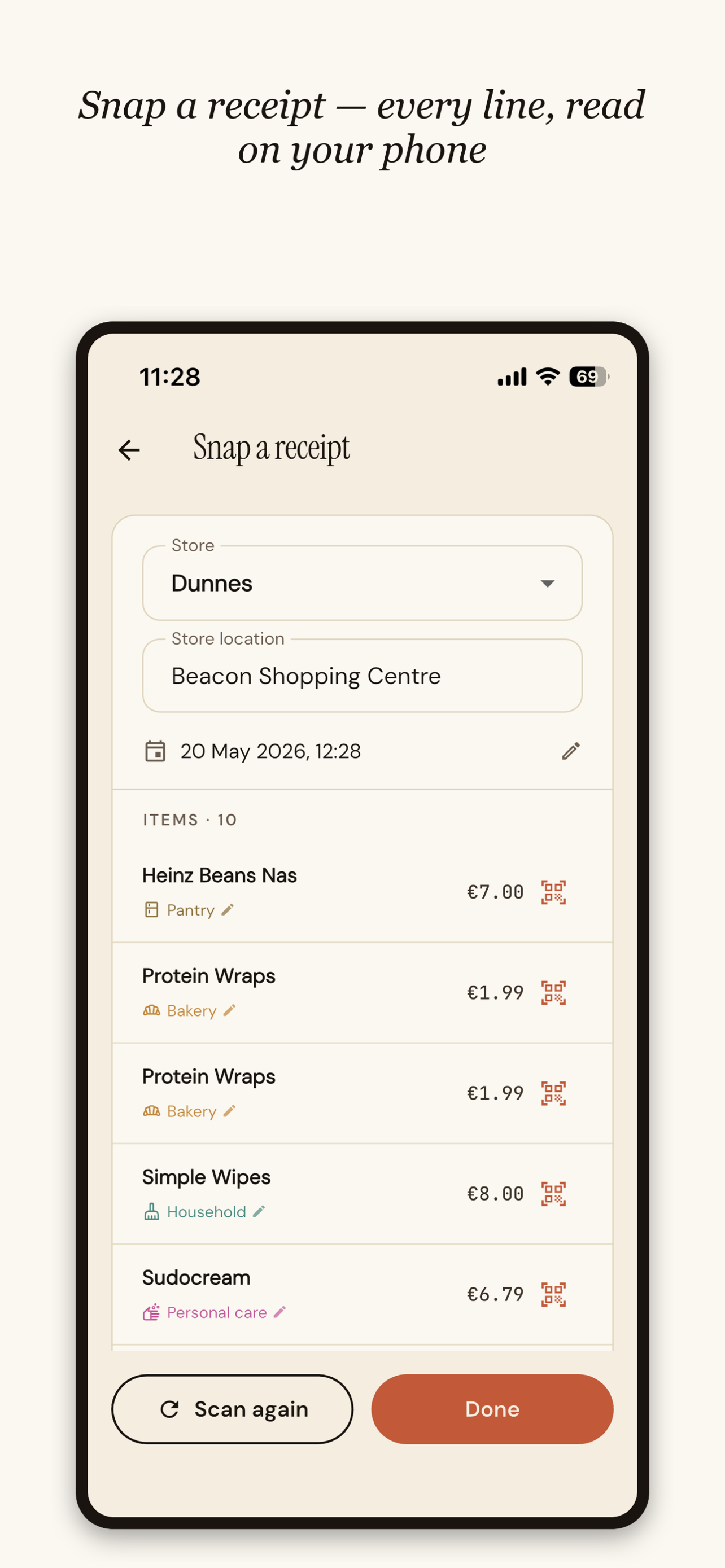
Open Zavvy, point your camera at a shopping receipt, and tap. We read every line, the per-item price, the total and the savings on your device. When you save the receipt to your history, its image and parsed details are sent to your account; a scan you don't save stays on your phone.
-
2
Scan each item's barcode
The receipt knows the item's description and what you paid, but not its EAN — and the EAN is what lets Zavvy match the item against every other shop. Tap the barcode icon beside each line and scan the product. (You can do this in-store while you're packing, or at home from the bag.) You can also record a price on the spot by photographing the shelf-edge price label — Zavvy reads the product, price and barcode straight off the label.
-
3
Build your basket
Keep the items you'd actually buy. Adjust a quantity, fix a misread line, drop an own-brand item that won't have a rival. The basket is yours — Zavvy never silently drops a missing item, so the totals stay honest.
-
4
See it priced at every shop
Zavvy lines your basket up against Tesco, Dunnes, SuperValu, Aldi, Lidl, M&S and others — and shows the running total at each, with the cheapest highlighted. Items that aren't stocked at a given shop show "not available here" rather than vanishing quietly.
-
5
Track your spend over time
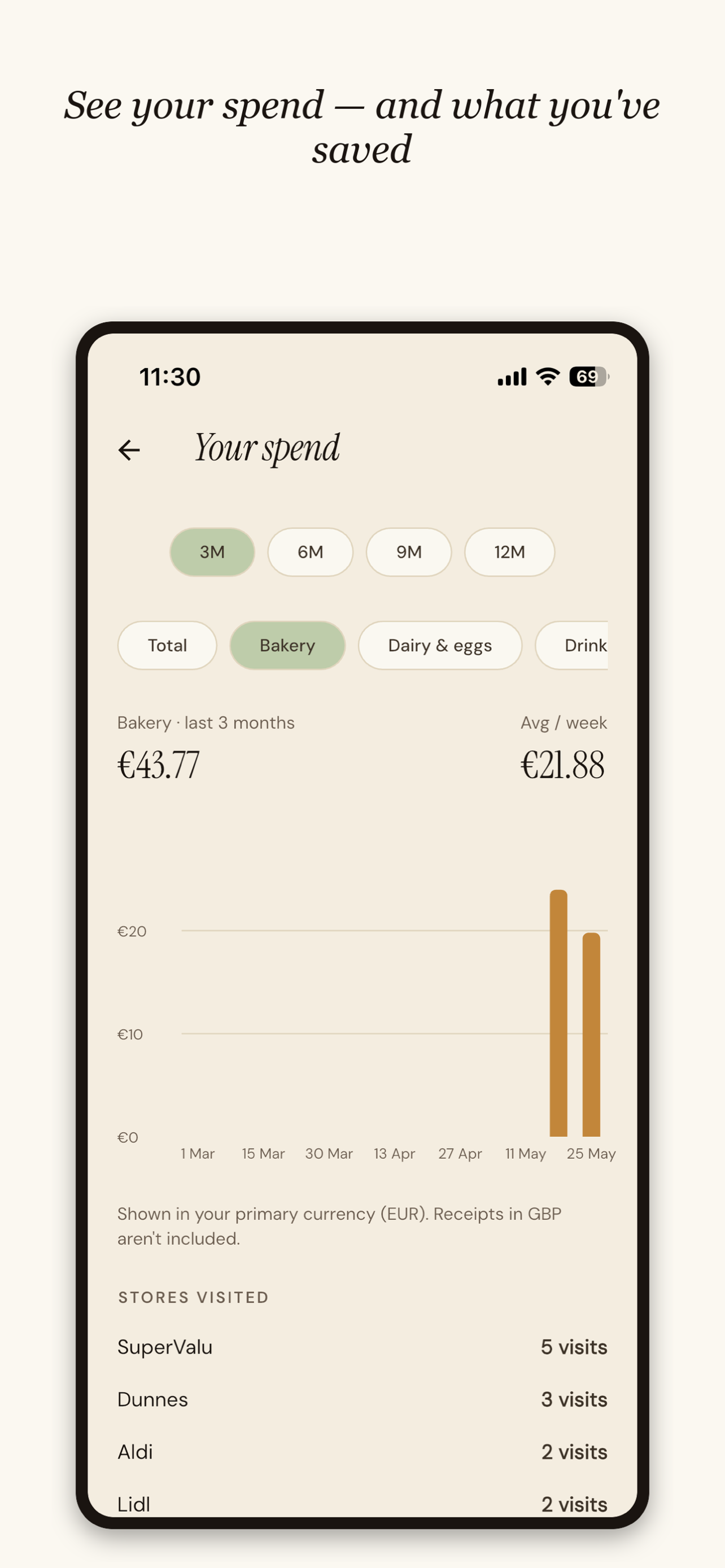
Every saved receipt rolls into a spend history — by week, by store, by category. Tap any bar to see exactly which items made it up. Catch the leaks before they catch you.
What it looks like.
Try it on your next shop.
Zavvy is free and in beta on iOS and Android.